
WigoSend
WigoSend Mail

Professional business email, built around your domain.

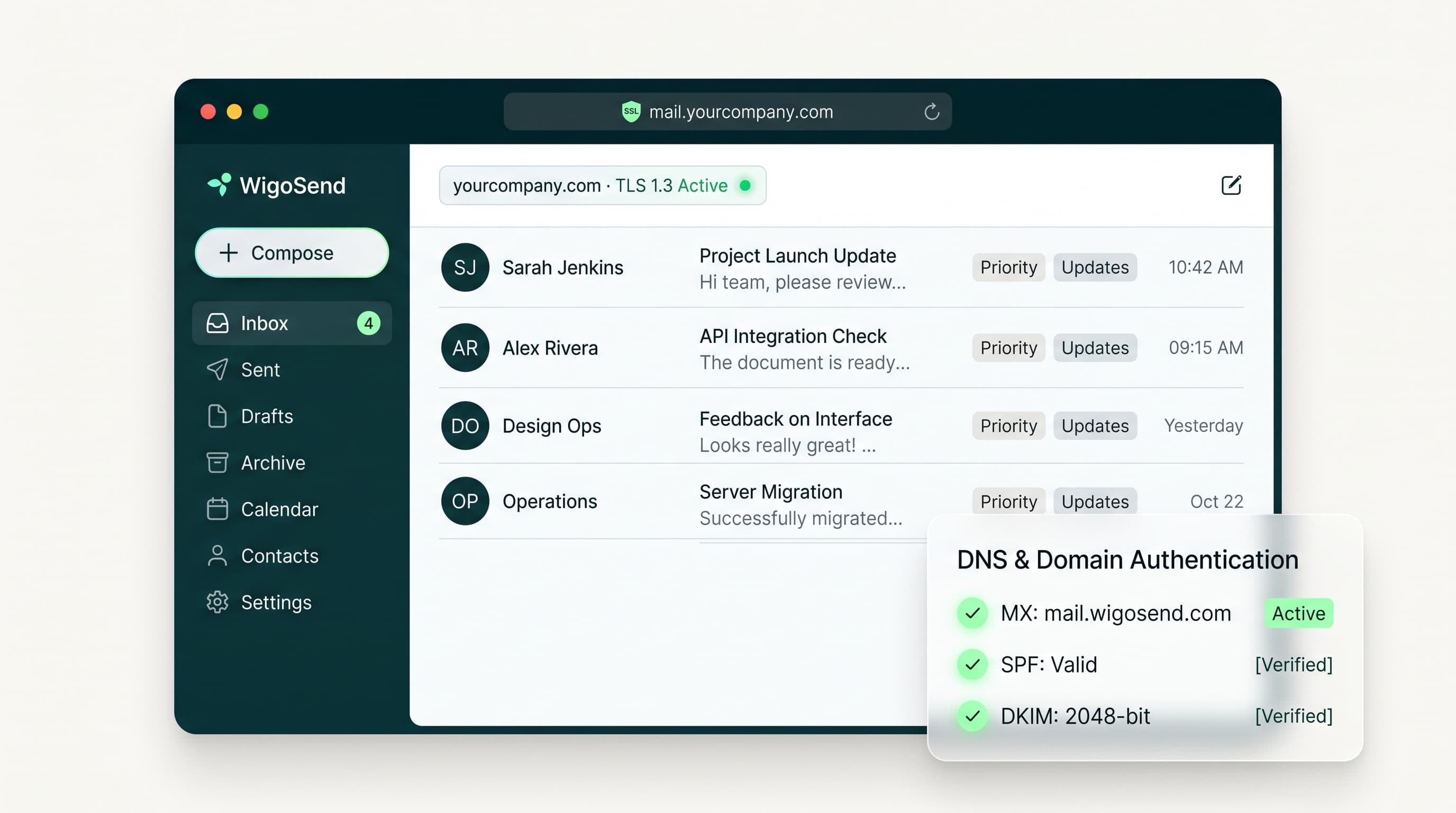
Send and receive messages from your own domain with simple administration, zero per-seat penalty taxes, and automated DNS verification that takes the headache out of everyday business communication.
See how pricing works
14-day free trialNo credit card required
WigoSend Mail Workspace
Business email without the unnecessary complexity

Your business has outgrown informal email arrangements.

As your business grows, email needs to do more than send and receive messages. You need professional addresses, dependable domain setup, clear administration, and a workspace your team can use every day.

WigoSend Mail brings those essentials together without making you manage a complicated business suite.

Before

yourbusiness2019@gmail.com

After

amina@yourcompany.com

Your domain, set up properly

Give every business conversation a professional starting point.

Use email addresses on your company's own domain, such as you@yourcompany.com. WigoSend guides you through domain and DNS setup so your business email is configured correctly from the beginning. Need record walkthroughs? Follow our DNS record setup guides in the Help Center.

Connect a domain you already own or set up a new one as part of your onboarding process.

  • Send and receive email from your business domain.
  • Follow guided domain and DNS setup.
  • Verify the records required for mail flow.
  • Create the addresses your business needs as your team grows.
More than an inbox

The tools your team uses, connected in one workspace.

Alongside email, WigoSend Mail brings essential communication and workspace tools into one connected experience. Move between email, contacts, calendars, chat, meetings, and shared files without managing separate accounts and disconnected systems.

Email

Read, write, organize, search, and manage your business messages.

Calendar

Create events, manage schedules, and coordinate invitations alongside email.

Contacts

Keep business contacts available when your team needs them.

Chat

Communicate internally without leaving your workspace.

Meetings

Coordinate meeting details and invitations from the same environment.

Shared files

Work with shared files connected to your business communication.

Administration without the specialist overhead

Keep control of your business email as your team changes.

WigoSend Mail gives owners and administrators a clear way to manage domains, mailboxes, aliases, forwarding, and distribution lists. Add people, update addresses, and keep your organization's email structure organized from one place.

  • Create and manage employee mailboxes.
  • Add aliases without creating unnecessary mailboxes.
  • Set up forwarding rules with clear verification.
  • Create distribution lists for approved groups.
  • Monitor capacity and workspace status.
  • Manage users and organization settings.
Mailboxes
  • Amina Otienoamina@yourcompany.comActive
  • David Mwangidavid@yourcompany.comActive
  • Grace Wanjirugrace@yourcompany.comPending
Starting fresh or switching providers

Get your business email set up with a clear path forward.

Whether you are setting up a new domain or moving from an existing provider, WigoSend guides you through the important steps: checking compatibility, preparing your domain, moving supported data, reviewing progress, and confirming that mail is working correctly.

Migration support is available for supported Google, Microsoft, and SMTP/IMAP-compatible sources, with the exact process depending on the source provider, data type, and migration size.

1Review your source and available capacity.
2Connect the source account securely.
3Select supported mail, contacts, and calendar data.
4Track progress and review migration errors.
5Complete DNS cutover with guidance.
6Remove source credentials when they are no longer needed.
Pricing that fits your business

Choose the capacity you need today. Grow when you are ready.

WigoSend Mail uses capacity bands instead of charging separately for every person or mailbox. Each band combines the resources your workspace needs, including mailbox, domain, storage, and related capacity.

Start with the band that fits your business today. Move to a larger band when your requirements change.

Try the complete Mail experience

Explore WigoSend Mail for 14 days.

Set up your domain, create mailboxes, and use the workspace before deciding whether to continue. No payment method is required to start, and the trial does not convert automatically. You choose and confirm a paid subscription before payment is requested.

Need shared customer communication?

Mail for your team. Team for shared customer conversations.

WigoSend Mail is your business email and everyday workspace. WigoSend Team is a separate product for managing shared customer-facing addresses such as support@ and sales@, with assignments, internal notes, statuses, and team visibility.Team can work alongside WigoSend Mail or connect to supported external email sources.

Setup and migration questions

Questions about getting started.

Do I need a domain to use WigoSend Mail?

No. You can connect a domain you already own or set up a new one. WigoSend guides you through the required domain and DNS configuration.

What does DNS setup involve?

DNS records help prove domain ownership and route and authorize email for your domain. WigoSend displays the records you need, explains their purpose, and checks whether they have been configured correctly.

Can I create mailboxes for my team?

Yes. Owners and administrators can create and manage mailboxes within the workspace's available capacity.

What is the difference between a mailbox and an alias?

A mailbox is an independent email account that can be used by a person or organizational identity. An alias is an additional address that delivers into an existing mailbox without necessarily creating another mailbox.

Can I use forwarding and distribution lists?

Yes. WigoSend Mail supports forwarding rules and distribution lists, subject to the active plan's capacity and configuration rules.

Can I migrate from another provider?

WigoSend supports migration from supported Google, Microsoft, and SMTP/IMAP-compatible sources. Supported data and migration options depend on the source provider, available capacity, and migration scope.

Do I need technical experience to administer Mail?

The common administration tasks are designed to be manageable by a business owner or administrator. More complex domain, migration, or delivery issues may still require support.

Does the trial convert automatically?

No. The trial expires without creating an automatic paid subscription. You must select and confirm a paid Mail band before payment is requested.

What is not included in WigoSend Mail?

Shared inboxes, assignments, internal notes, customer-facing statuses, and related shared-inbox workflows belong to WigoSend Team, which is a separate product.

Give your business email a better foundation.

Start your 14-day WigoSend Mail trial. Set up your domain, create your team's mailboxes, and explore the workspace before choosing a paid plan.

Talk to us

No payment method is required to start. Your trial does not convert automatically.